Getting a better workout calorie estimate is less about buying the flashiest watch and more about feeding your tracker clean data. A wrist watch, chest strap or bike console can be useful, but none of them knows your metabolism perfectly, and the calorie number should be treated as a working estimate rather than a bill from the bank.
In This Article
- How Accurate Can Workout Calorie Tracking Actually Be?
- Calorie Burn Tracking Guide: The Numbers That Matter
- The Best Tools for Tracking Calories Burned
- Set Up Your Tracker Properly Before You Train
- Match the Tracking Method to the Workout
- Use Trends, Not Single-Session Numbers
- Common Calorie Tracking Mistakes
- Bottom Line: The Most Accurate Setup for Most People
- Frequently Asked Questions
How Accurate Can Workout Calorie Tracking Actually Be?
Workout calorie tracking is useful, but it is not exact. The best consumer setup gives you a decent estimate for comparing sessions, spotting trends and keeping training honest. It does not tell you that you have “earned” a 730-calorie dinner because your watch flashed 730 after a sweaty row.
The reason is simple: calorie burn depends on body mass, movement economy, heart rate response, fitness level, temperature, fatigue, technique and how the device interprets the session. Two people can do the same 30-minute bike workout at the same resistance and end up with different true energy costs. One person can also repeat the same session a month later and burn fewer calories because they have become fitter and more efficient.
Research on commercial wearables backs up the common gym-floor experience. A 2020 review of wearable devices found that trackers can be useful for steps and heart rate, but energy expenditure estimates are much less reliable across brands and activities (PMC wearable accuracy review). That does not make your watch useless. It means the calorie number is a guide rail, not a lab result.
The realistic target
For most home gym users, “accurate” means:
- Consistent enough to compare similar workouts week to week.
- Close enough to support a nutrition or fat-loss plan without chasing every calorie.
- Honest enough to show that a gentle 20-minute session is not the same as hard intervals.
- Stable enough that obvious setup errors do not swing the estimate wildly.
If your tracker says one full-body weights session burned 260 calories and the next similar session burned 310, that may be useful. If it says a relaxed mobility session burned 800, something is wrong.
Why watches often overclaim strength sessions
Wrist trackers are happiest when your arm movement and heart rate follow a predictable pattern. Running, brisk walking and steady cycling are easier to estimate than dumbbell circuits, kettlebell work or heavy bench press sets with long rests. During strength training, your heart rate can jump because of bracing, fatigue and short bursts of effort, while actual movement is stop-start. A watch may treat that elevated heart rate like continuous cardio.
This is why a hard lifting session can feel brutal but still burn fewer calories than you expect. The training value is real: strength, muscle retention, joint resilience and confidence under load. The calorie estimate just needs to be kept in its lane.
Calorie Burn Tracking Guide: The Numbers That Matter
If you want to track calories burned accurately workout after workout, start with the inputs your device uses. Most trackers are not directly measuring calories. They are estimating from a mix of profile data, heart rate, movement, GPS pace, exercise type and sometimes power.
Your body data
Height, weight, sex and age matter because they shape the base estimate. A 95kg lifter and a 58kg runner will not burn the same amount doing the same treadmill speed. If your watch profile still has the weight you entered two years ago, every calorie estimate is built on stale information.
Update your weight at least monthly if you are actively losing or gaining. You do not need to obsess over daily fluctuations, but a 6kg change is enough to affect estimates.
Heart rate quality
Heart rate is one of the biggest drivers of calorie estimates, especially on watches from Garmin, Polar, Fitbit, Apple and Coros. If the heart-rate reading is wrong, the calorie reading often follows it.
A wrist sensor can work well for steady running or indoor cycling, but it struggles when the watch moves, your wrist bends, you grip a bar, or the session includes fast changes of intensity. That is why a chest strap still earns its place. A Polar H10 is usually about £75-£85 from Amazon UK or Decathlon, while a Garmin HRM-Dual sits around £50-£60. If calorie consistency matters to you, that money often improves the data more than jumping from a £250 watch to a £650 watch.
Workout type
The activity profile tells the algorithm what kind of movement to expect. Logging a rowing session as generic cardio, or a weights session as HIIT, can skew the estimate. It also muddles your training history.
Use the closest activity mode available:
- Strength training for lifting, machines and dumbbell sessions.
- Indoor bike for exercise bikes and turbo trainers.
- Rowing for rowing machines.
- Treadmill run or walk for indoor running and incline walking.
- HIIT only for true interval sessions, not every workout that feels hard.
External load and power
Calorie tracking gets better when the device can use objective workload. A smart bike with power in watts, a rowing machine with split pace, or a running watch with GPS pace has more to work with than a wrist sensor alone.
Power-based indoor cycling is the cleanest example. If your bike measures watts properly, the device can estimate energy cost from mechanical work. It still has assumptions, but it is less vague than guessing from wrist movement. That is one reason a Wattbike Atom at about £1,899 gives better training data than a basic £180 magnetic exercise bike with a simple console. Not everyone needs that. Most people do not. But it explains why two “calorie” displays can disagree.
The Best Tools for Tracking Calories Burned
The best tool depends on the workout. There is no single tracker that nails everything. For most UK home gym users, I would rather have a sensible mid-range watch and a chest strap than a premium watch worn loosely.
Best overall setup: watch plus chest strap
A good watch gives you session logging, app history, trends and easy use. A chest strap improves heart-rate capture when your wrist is moving, gripping or flexing.
Good UK options:
- Garmin Forerunner 165 – about £230-£250 from Garmin, John Lewis or Amazon UK. Good for running, gym cardio and general fitness tracking.
- Garmin Venu 3 – about £380-£430. Better smartwatch feel, strong wellness tracking, still useful for workouts.
- Polar H10 chest strap – about £75-£85. The one I would buy if heart-rate accuracy mattered more than smartwatch features.
- Garmin HRM-Dual – about £50-£60. Solid cheaper chest strap option for ANT+ and Bluetooth.
If you already own an Apple Watch, Fitbit or Samsung watch, keep it. You do not need to bin a working device. Spend the money on a chest strap first if your numbers jump around during gym sessions.
Budget option: phone app plus machine console
For a tight budget, use the console on your rower, bike or treadmill and log the session manually in Apple Health, Google Fit, Garmin Connect or Strava. It is less slick, but it can be consistent if you use the same machine, same profile settings and same workout type.
Budget exercise bikes under £200 from Argos or Decathlon often give basic calorie estimates from speed, time and resistance. I would not trust the absolute number, but if the same bike says your usual 30-minute ride has gone from 180 to 230 calories at the same perceived effort, that trend tells you something.
Premium option: power-based training
If you train indoors a lot, power data is the upgrade that matters. Smart bikes, bike trainers and some rowing machines provide a clearer workload measure than wrist movement.
Examples:
- Wattbike Atom – about £1,899, expensive but excellent for structured cycling data.
- Wahoo Kickr Core – about £450-£550 if you already have a bike.
- Concept2 RowErg – about £990-£1,100, with reliable rowing performance metrics and repeatable sessions.
For pure calorie tracking, I would not buy a Wattbike before sorting sleep, training consistency and nutrition. For serious indoor cycling, it is a different conversation.
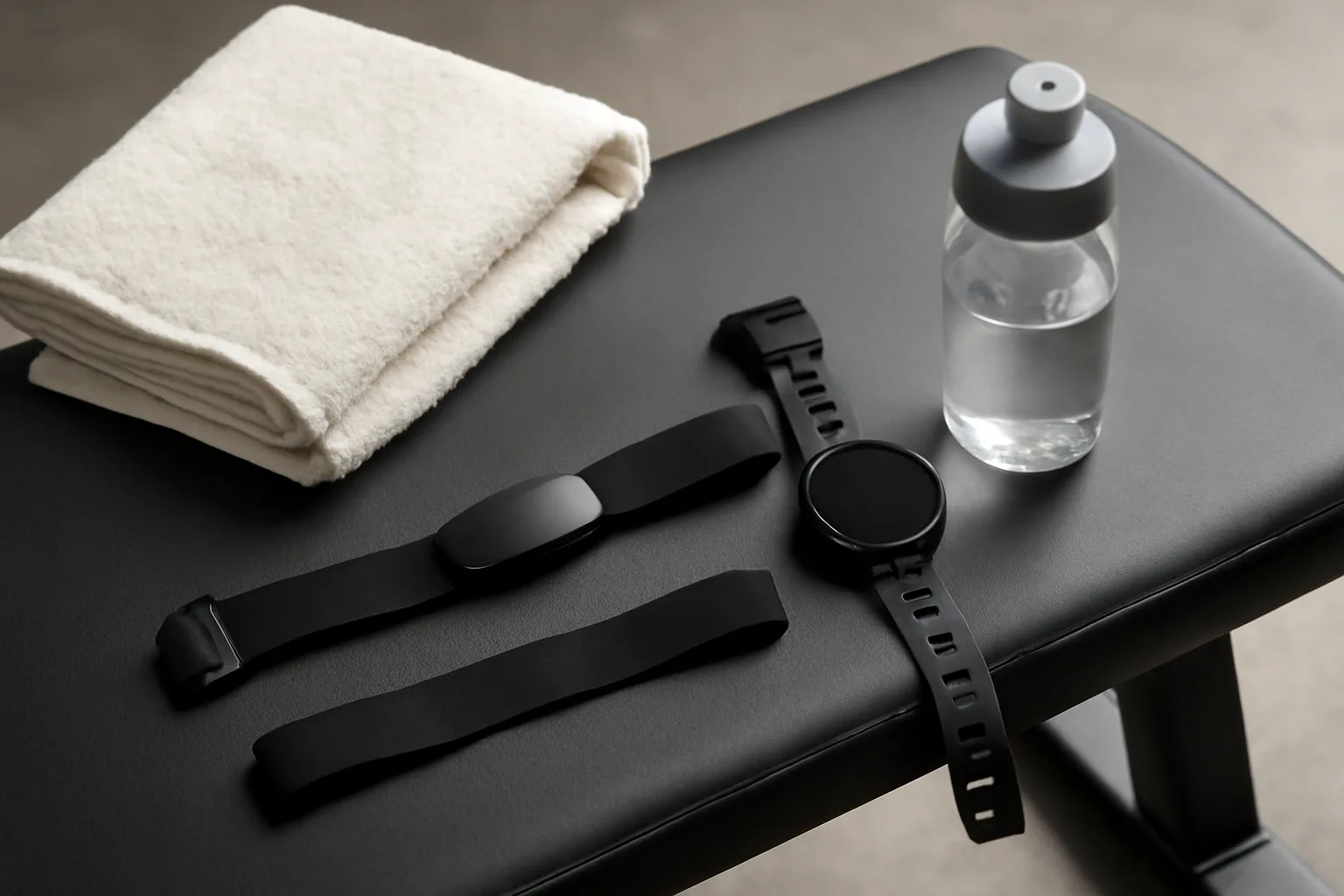
Set Up Your Tracker Properly Before You Train
Most bad calorie tracking starts before the warm-up. The device is loose, the profile is wrong, the activity mode is guessed, or the user starts recording five minutes late.
Fit the sensor properly
For wrist watches, wear the device snugly above the wrist bone. It should not slide when you shake your hand, but it should not cut off circulation. During weights, move it slightly higher up the forearm if wrist extension breaks the sensor contact.
For chest straps, wet the electrodes before training and tighten the strap enough that it stays put during burpees, rowing or kettlebell swings. A dry strap can read badly for the first few minutes, which is annoying if your whole session is only 25 minutes.
Update your profile
Before relying on calorie numbers, check:
- Weight – current enough to be useful.
- Height – entered correctly in cm, not a rushed conversion.
- Age and sex – boring but relevant to estimates.
- Max heart rate – not blindly set to 220 minus age if you know yours differs.
- Resting heart rate – let the device learn it over several nights if possible.
Garmin notes that manually recorded activities and different activity types can affect calorie calculations (Garmin calorie tracking support). The same principle applies beyond Garmin: better inputs usually mean better estimates.
Start and stop cleanly
Start recording before the working part of the session. Stop it after the cool-down, not 40 minutes later when you remember in the car. For circuit training, resist the temptation to pause between every station. If rest is part of the workout, include it. If you spend ten minutes chatting after the final set, stop the watch.
This sounds basic because it is. It is also one of the easiest ways to turn a useful trend into nonsense.
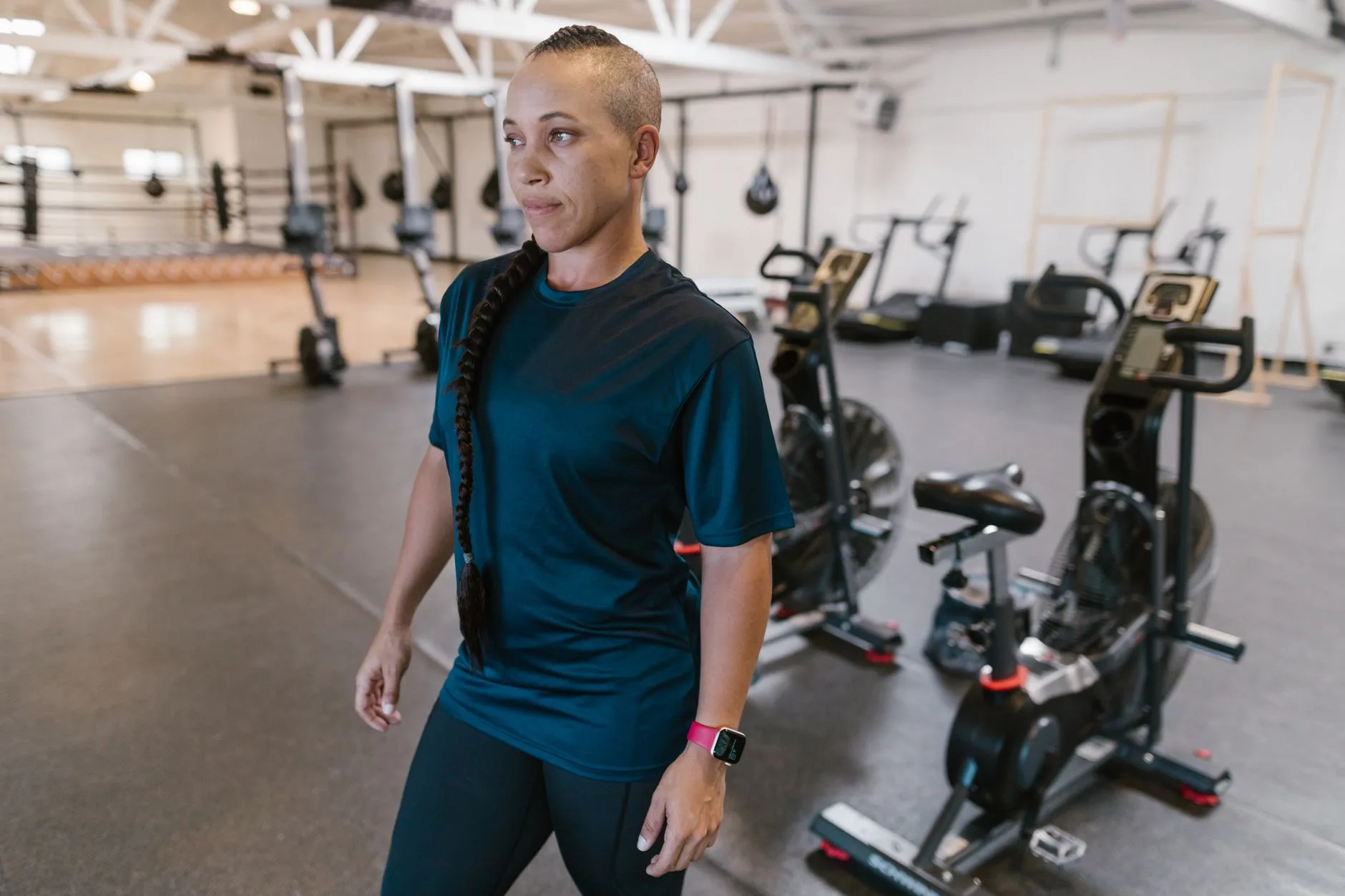
Match the Tracking Method to the Workout
Different workouts need different tracking habits. A calorie number from a treadmill run is not built the same way as one from a bench-and-squat session.
Running and treadmill sessions
Running is one of the easier activities to estimate because pace, duration, body mass and heart rate all line up fairly well. Outdoors, GPS helps. Indoors, treadmill calibration matters.
For a treadmill:
- Use treadmill mode rather than outdoor run mode.
- Calibrate distance after the session if your watch allows it.
- Log incline mentally if your watch cannot see it; incline walking can burn far more than flat walking at the same speed.
If you are building a broader cardio routine, pair this with sensible session structure rather than just chasing burn totals. Our guide to treadmill workouts beyond just running is more useful than adding random incline until the calorie number looks impressive.
Cycling and exercise bikes
Exercise bikes are tricky because basic models often estimate calories from time, speed and resistance setting. Resistance level 8 on one bike may not match level 8 on another.
Use the same bike for comparisons where possible. If your bike supports Bluetooth FTMS, Zwift, Kinomap or a brand app, connect it properly rather than running a separate watch cardio mode. If it has power, use power. If it only has a simple console, treat the number as a local score for that bike.
For choosing kit, the decision overlaps with our best budget exercise bikes under £200 guide. Cheaper bikes are fine for fitness, but their calorie displays are rough.
Rowing machines
Rowing machines give better repeatable data than many cardio machines, especially if you use a Concept2. Pace per 500m, stroke rate and watts are more meaningful than calories alone.
For calorie tracking, enter body weight if the machine or connected app asks for it, then use the same data source each time. Do not compare the rower console against your watch and panic because they differ. Pick one source for trends.
If your form is poor, the calorie estimate may still rise because you are working hard, but the training quality suffers. Our guide on rowing machine form is worth fixing before you obsess over burn numbers.
Strength training
For weights, use calorie estimates with caution. Heavy lifting has long rests, short efforts and movements that confuse wrist sensors. A chest strap helps, but it still cannot fully capture mechanical work.
Log strength sessions for consistency, not precision. Track sets, reps, load and rest times alongside calories. If your watch says a hard squat session burned 250 calories, do not assume the session was poor. Strength training is not cardio wearing a different outfit.
If you train at home, your setup matters more than the burn display. A reliable programme and decent equipment will do more for progress than arguing with your watch. Start with a home gym workout plan and build from there.
HIIT and circuits
HIIT is where calorie tracking gets messy. Heart rate lags behind effort, wrist sensors struggle with fast arm movement, and the watch may over-reward the “afterburn” feeling.
Use a chest strap if you care about data. Keep the same work-rest structure for comparison. A 20-minute session of 40 seconds on, 20 seconds off is not directly comparable with 30 seconds on, 90 seconds off, even if both feel awful.
NHS exercise guidance is still a useful anchor here: adults should build a mix of moderate or vigorous activity plus strengthening work across the week (NHS exercise guidance). A big calorie number from one HIIT session does not replace consistent weekly movement.
Use Trends, Not Single-Session Numbers
The biggest upgrade is mental, not technical. Stop treating one workout calorie number as a verdict. Start looking at patterns.
Compare like with like
Compare Monday’s 30-minute indoor bike session with the same bike, same resistance style and same duration next week. Compare your 5km treadmill run with another 5km treadmill run. Do not compare a leg day with a sweaty spin class and conclude one is better because the calorie number is higher.
Useful comparisons include:
- Same workout, lower heart rate – fitness may be improving.
- Same duration, higher power or pace – output has improved.
- Same session, unusual calorie spike – check watch fit, stress, heat, caffeine or illness.
- Repeated low estimates – may be fine if the goal is strength, mobility or technique.
Use a weekly average
If you are tracking calories for weight management, use weekly exercise calorie averages rather than daily payback maths. A single watch overestimate can wipe out the margin you thought you had.
For fat loss, I would rather undercount exercise calories and let the scale trend guide adjustments. That sounds cautious, but it prevents the classic mistake: “My watch says I burned 600, so I can eat 600 back.” Often you cannot.
Keep performance metrics beside calories
Calories are only one training metric. For many workouts they are not even the best one.
Track:
- Running – pace, distance, heart rate, perceived effort.
- Cycling – watts, cadence, heart rate, duration.
- Rowing – split pace, stroke rate, watts, distance.
- Strength – load, reps, sets, rest and form quality.
- Recovery – sleep, soreness, motivation and resting heart rate.
This keeps the calorie number useful without letting it bully the session.
Common Calorie Tracking Mistakes
Most calorie tracking errors are boring. That is good news, because boring errors are easy to fix.
Wearing the watch too loose
A loose watch bounces, loses optical contact and guesses. Tighten it before training. If it leaves a deep mark, loosen it after the session.
Using the wrong activity mode
Generic cardio is a lazy shortcut. Use rowing for rowing, strength for weights, indoor bike for the bike and treadmill for treadmill. The more specific mode usually gives the algorithm better assumptions.
Trusting machine calories too much
Gym machines are not neutral truth machines. Many do not know your body weight, age, sex or heart rate. Some are generous because generous numbers make workouts feel more rewarding. At home, a cheap bike console can still be useful, but only as a consistent score on that exact bike.
Eating back every tracked calorie
This is the expensive one. If you are trying to lose fat, do not automatically add your full exercise calorie estimate back into your food target. Use a smaller portion of it, or ignore exercise calories at first and adjust from weekly body-weight trends.
Comparing different devices
Your Apple Watch, Garmin, Fitbit, bike console and Strava estimate may all disagree. That does not mean the highest one is the winner. Pick a primary source and judge trends from that source.
If your current device is older or unreliable, our guide to choosing fitness wearables explains what matters before you buy. Battery life matters too; a dead tracker records nothing, so check our fitness tracker battery life guide if you train several times a week.
Bottom Line: The Most Accurate Setup for Most People
For most people, the best setup is a current profile, a snug wearable, the right activity mode and a chest strap for workouts where wrist heart rate struggles. That will not make calorie tracking perfect, but it will make it more consistent and more useful.
If I were building a practical UK home-gym setup, I would do this:
- Use the device you already own for two weeks and clean up the settings.
- Add a chest strap if heart-rate readings jump around during lifting, rowing, HIIT or indoor cycling.
- Use machine data for rowing and cycling when the machine gives repeatable metrics.
- Track trends weekly rather than treating each calorie number as exact.
- Keep performance first so calorie burn does not become the only reason to train.
The sweet spot is usually a £200-£300 watch plus a £50-£85 chest strap, not a £700 watch used badly. Track calories burned more accurately, workout by workout, by improving the inputs, comparing like with like and refusing to let one shiny number overrule common sense.
Frequently Asked Questions
What is the most accurate way to track calories burned during workouts? For most people, the most accurate consumer setup is a good fitness watch paired with a chest strap, using the correct workout mode and current body-weight settings.
Are fitness watch calorie estimates accurate? They are useful estimates, not exact measurements. They tend to be more reliable for steady cardio than for strength training, HIIT or mixed gym circuits.
Is a chest strap better than a wrist watch for calorie tracking? A chest strap usually gives cleaner heart-rate data during hard or stop-start workouts, which can improve calorie estimates when the device relies heavily on heart rate.
Should I eat back the calories my watch says I burned? Be cautious. If fat loss is the goal, many people do better by using weekly weight trends rather than eating back every tracked exercise calorie.
Why does my exercise bike show different calories from my watch? They use different assumptions. The bike may use speed, resistance and time, while the watch uses your profile and heart rate. Pick one source for trends.
How often should I update my tracker settings? Update body weight whenever it changes by a few kilograms, and check activity modes, max heart rate and sensor fit whenever your calorie numbers start looking odd.